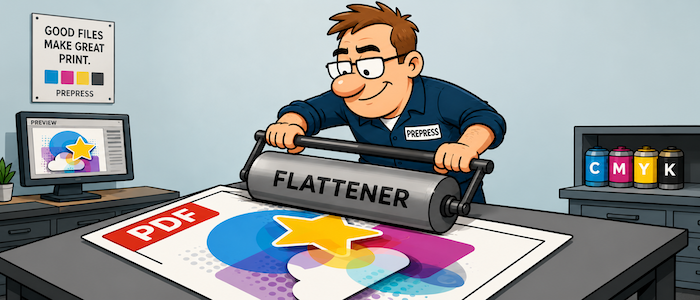
Made for commercial print.
Fuel for your automation & integration.
Extensive data, with powerful services, file actions, and events that are made to fuel your custom development work.

Extensive file data.
Data to drive automation.
Document actions.
Control for your files.
Powerful tasks.
Made for print production.
Explore all three below.


Plus many other AI and low-code platforms using our API.

Can Good2Go integrate with our MIS or Web2Print solution?
Yes. With our open and accessible API’s allows Good2Go data, events and files to be easily shared with any application that also has an REST API.*
*Integration platform such as Enfocus Switch, Zapier, or other workflow solution is required..
Get started
Each step is rich with data, actions, events and tasks simplifying your integration and developement.
03
Switch App Suite
Seven apps to provide quick access to common tasks.
05
Claude AI
Use Claude with Good2Go to build custom solutions quickly (account required to view)
HOT!
06
More
Use the Good2Go API to connect with any modern application, automation or workflow solution.
Not sure where to start or have questions?
$0.00
That’s the cost of our support contracts, API access charges and what we charge for a development account.
Delivering Data
Data, is the foundation of automation, and Good2Go excels at delivering data.

Basic File Data
• File name
• File type
• File creator
• File size (kb)
• Page width and height
• Number of pages
Customer Data
• Customer name
• Customer email
• Customer address
• Phone
• Group (or team)
File/Folder Status
• New
• Pending
• Processing
• Approved
• Rejected
• Changes required
• Approved with changes
• Done
• Expired
PDF Preflight Data
Values are reported when the condition is present.
• Preflight result: Pass, Warning, and Error.
• True trim page size
• Page orientation
• Color models used
• Profiles embedded
• Spot colors listed
• Fonts embedded
• Image resolution warnings (<250ppi)
• Image resolution errors (<200ppi and <100ppi)
• Image resolution is greater than 450ppi
• Objects close to the page edge
• Bleed amount
• Printing is disabled
• High-res printing disabled
• Multiple page sizes
• Page, trim, crop, media, art and bleed box
• RGB or impure black is defined
• Index color is used
• Color separations is more than four
• Spot color “All” is used
• Graphic element is transparent
• Spot color is transparent
• Graphic element is set to overprint and transparent
• Black test smaller than 14pts does not overprint
• Text is smaller than 5pts used.
• Text smaller than 5pts is colored
• White text does not knock-out
• Line weight is less than 0.00194 in
• Image X/Y scaling does not match.
File/Folder Data
• File/folder owner
• Job (MIS) number
• Customer name
• Customer email
• Additional reviewers email
• Partner defined name
• Partner defined email
• Parent folder
• Folder contents
• Assigned to name
• Assigned to email
• Date created
• Date updated
• Due date
• Date unassigned
• Date deleted
• Date expired
• Date archived
• File locked
• File/folder status
• Custom label
• Customer comments
• Internal comments
• Review confirmation status
Task History
• File Review created
• File review complete
• File status change
• Folder Review created
• Folder review completed
• Folder status change
• File/folder moved
• File/Folder assigned
• Ownership changed
Not all data points may be listed.
How is data useful? Three examples.
Problem
Solution
I want to track how much time operators spend on correcting customer files so I can bill the customer for changes.
Utilize task start and end times along with task comments and customer data to build time sheets for billable work.
I want print ready files to move to production automatically.
Use preflight result status along with bleed analysis to determine is a file is ready for production.
For more advanced workflows, ultilize MIS job data to confirm the file specs match the order specs.
I would like a custom dashboard that would help us analyze our file processing so we can identify processes to improve.
Utilize AI Vibe coding to analyze file data to build custom dashboards.
Note — there is a dashboard project (along with other projects) under the Claude integration page that you can start with.

Actions, Tasks and Webhooks
Things you can do — built-in and simple
Actions
Actions do one thing to a file or folder.
• Duplicate file
• Rename file/folder
• Lock file
• Move file/folder
• Compress folder
• Create folder
• Reset review
• Archive file
• Archive history, specs, more
• Add comments
• View file specs (proofing)
• View file preflight summery (proofing)
• Convert to order
• Document mark-up
• Send update message to client
• Send review receipt
• Lock file after approval
• Lock file after update
• Move file after approval
• Assign file after approval
• Preflight file
• Collect event history
• Custom label
Tasks
Tasks execute a series of actions and logic automatically to complete more complex tasks.
• Document review (file/folder)
• Quote Review
• Forward file
• Upload file(s)
• File upload with job data
• Task assignment
• Upload revision
• Archive file(s)
• Order Pilot (AI)
• Task reminder services
• Team account management
Webhooks
• Status change
• File is created
• File is preflighted
• File/Folder label change
• File/Folder status change
• File/Folder sent for review
• File/folder approved
• Send message for file/folder review
• Customer reply to notification email
• File version updated
• Folder is compressed
• Reminder on anonymous task
• Task is created
• Task is completed
From our customers
“We’re amazed how responsive the team is. I can’t tell you how much we enjoy using Good2Go!”
Scott Fry · Triangle Press, PA
Solutions for printers of any size
File On-boarding
Simple file submission you can start using in minutes.
Approval for print & Collaboration
Single or multiple file review. Collaboration tools. Transparent results company-wide.
Job Archiving
New! Automatically archive files to DropBox, Box.com, or Google Drive.