By Michael Reiher
Today’s print files are more complex than ever. Even simple flyers, postcards, menus, business cards, and brochures can include design effects that were once considered advanced: drop shadows, soft fades, transparent overlays, glows, opacity changes, and images layered over background colors.
To the customer, these effects are just part of the design. To a printer, they can sometimes become production risks.
That’s where PDF transparency flattening can be useful.
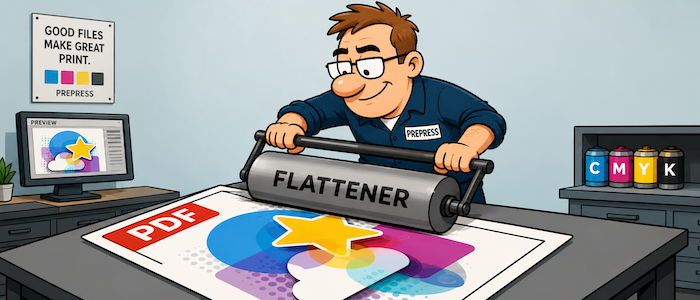
Transparency flattening is the process of converting live transparent effects into print-ready objects that are easier for a RIP, digital press, or output device to process consistently. Instead of leaving a drop shadow, fade, or transparent image layer “live” inside the PDF, flattening converts that appearance into more predictable printable elements.
For many modern print workflows, live transparency is handled just fine. A properly built PDF/X-4 file, processed through a current RIP, may not need to be flattened at all. In fact, keeping transparency live can preserve quality and flexibility when the workflow fully supports it.
But small commercial printers often live in the real world, not in a perfect workflow.
Files come from everywhere: Canva, Microsoft Office, Adobe apps, online design tools, customer-supplied templates, old PDFs, new PDFs, and files made by people who may not understand print production. A shop may also be running a mix of equipment, RIP versions, digital presses, wide-format devices, and third-party tools. In that environment, transparency can occasionally cause surprises.
The most common problems are visual. A shadow may print with a hard box around it. A transparent image may knock out type underneath it. A fade may band. A white object set to overprint may disappear. Thin type near transparent artwork may render heavier or softer than expected. These problems may not show up until proofing, ripping, or worse, after the job is already on press.
Flattening can help reduce those risks by “baking in” the intended appearance before the file reaches production. For small shops with tight deadlines and limited prepress time, that predictability has real value.
It can also be useful when sending files into older workflows, outside vendors, trade printers, specialty devices, or any process where you are not fully confident that live transparency will be handled correctly. In those cases, a flattened PDF can act as a safer production version.
Flattening a PDF ensure it prints exactly as shown on any device.
That does not mean flattening should be careless. Poor flattening settings can create their own problems, including rasterized type, stitching lines, color shifts, or overly large files. The goal is not simply to flatten everything. The goal is to flatten when it improves reliability, using proper high-resolution print settings and reviewing the result before production.
For small commercial printers, PDF transparency flattening is best viewed as a practical safety tool. It is not always required, and it is not a replacement for good preflight, good proofing, or modern RIP technology. But when customer files are unpredictable and deadlines are tight, flattening can help turn a questionable PDF into a more dependable print file.
In short: transparency makes designs look better, but it can make production more complicated. Flattening gives printers one more way to protect the job, reduce surprises, and keep work moving through the shop.
Good2Go just added PDF transparency flattening to its PDF Tune-up module for Good2Go. This optional module is available for any paid subscription of Good2Go. Contact Good2Go sales for more information, a demo, and pricing — email: Sales@Good2GoSoftware.com.